How Much Is My Growtopia Inventory Worth? Free Inventory Price Checker
Most players have no idea what their backpack is worth, and it costs them in every trade. Scan one screenshot, price every item, and see your total inventory value in World Locks. Free, no login, step-by-step guide.
November 20, 2026 · By GTPriceGuide Staff · 8 min read
Table of Contents
Quick question: what is your backpack worth right now?
Not just your World Locks. Everything: the stack of Surgical Sponges from that one surgery session, the Winter Gifts from last year, the random wearable you got from an event and forgot about. Most players can't answer that. And not knowing costs real World Locks. You sell something for 5 WL that was worth 50. You accept a trade because someone said "that's only worth 1 WL". You hold an item through an event and watch its price crash.
You can find out in about a minute, with one screenshot. Here's how.
Sound Familiar?
If you've ever tried to price your inventory, you've probably done one of these:
Looked items up one by one, on the wiki or in Discord, for every single slot.
Found a price from months ago, and found out the hard way that it had changed.
Asked in world chat, and got lowballed by someone who wanted to buy it.
Guessed, and hoped for the best.
Growtopia has over 15,000 items, and prices change every week. Nobody can keep that in their head. So we built a tool that does it for you.
Meet the Inventory Scanner
The Inventory Scanner turns a screenshot of your backpack into a price list:
It identifies every item by matching each slot against the sprites of all 15,000+ Growtopia items.
It looks up the latest price for each one, from prices players submit to GTPriceGuide.
It adds them up and shows your total inventory worth in World Locks.
And it's built to be safe:
It's free. No sign-up, no login.
It never asks for your GrowID or password. Nothing on GTPriceGuide ever will. If a "price checker" asks for your login, it's a scam.
Your screenshot stays on your device. The matching runs entirely in your browser. The image is never uploaded anywhere.
No AI guessing. It compares real item sprites, pixel by pixel.
How to Check Your Inventory Value, Step by Step
Step 1: Take a screenshot of your backpack
Open your inventory in Growtopia and take a screenshot.
PC:Win + Shift + S on Windows, Cmd + Shift + 4 on Mac. A full-screen screenshot works too; you'll crop it in step 3.
Mobile: open your backpack and use your phone's screenshot button.
For the best results, use the original screenshot file. Images re-sent through Discord or WhatsApp get compressed, and compression makes items harder to recognize. PC screenshots usually match better than mobile ones.
Step 2: Open the scanner and drop your screenshot in
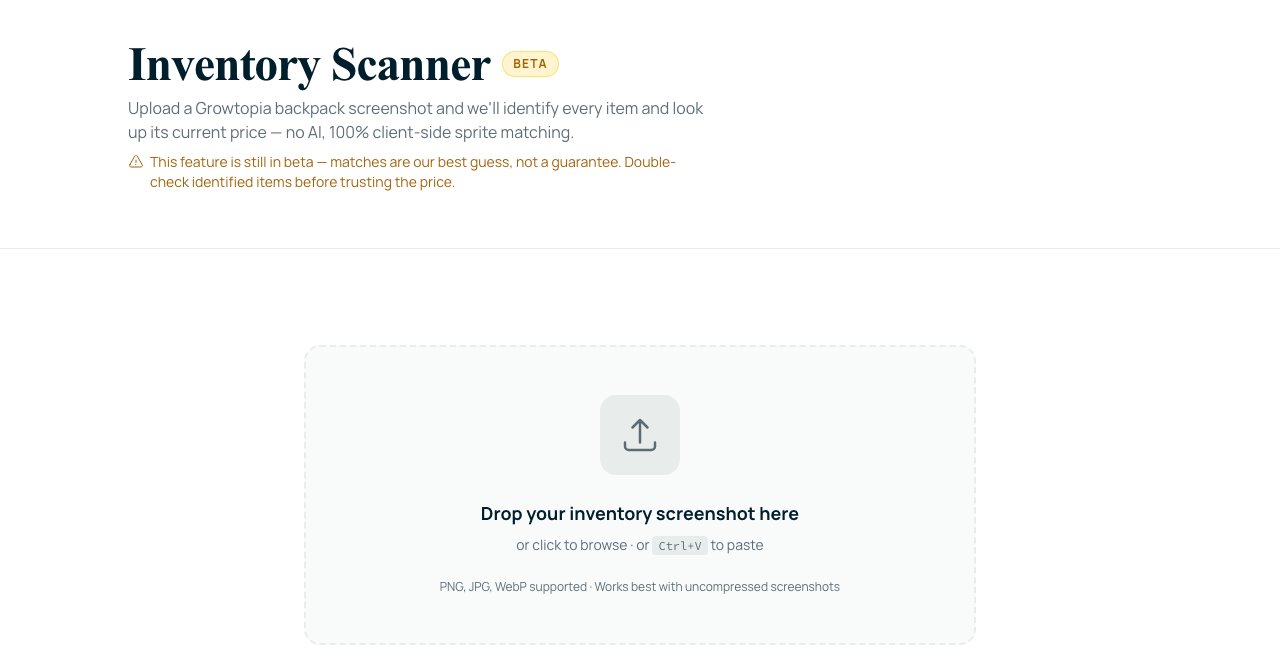
Go to the Inventory Scanner. You can drag the screenshot onto the box, click to choose the file, or just paste it with Ctrl + V straight after taking it.
Step 3: Line up the grid
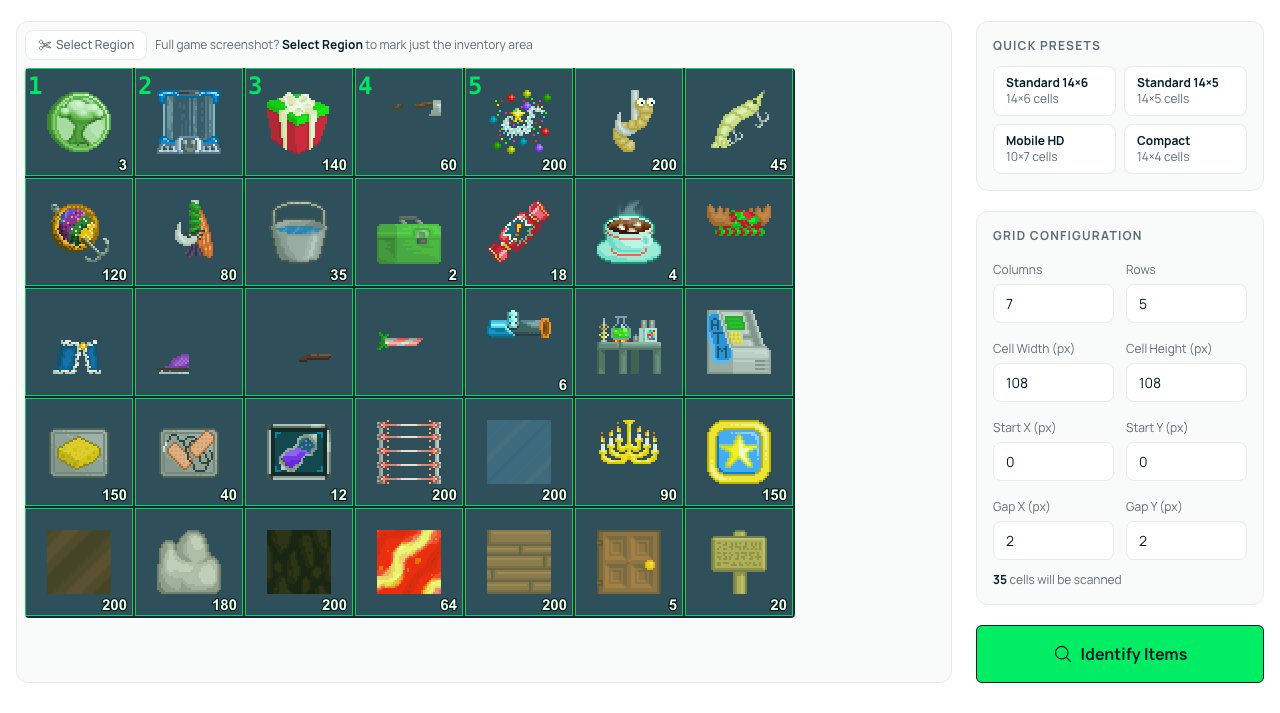
The scanner needs to know where each slot is. It draws green boxes over your screenshot. Your job is to get one box on each slot.
Try a Quick Preset first.Standard 14×6 and 14×5 fit most PC backpacks. Mobile HD fits most phone screenshots.
Full-game screenshot? Click Select Region, set the number of columns and rows first, then drag a box around just the inventory grid.
Fine-tune if needed. Cell size, start position and gap are all adjustable. The boxes update as you type.
When every slot has its own box, click Identify Items.
Step 4: Let it scan
The first scan loads the sprite database, which takes a moment. After that, scans are much faster, because the database stays loaded while the page is open.
Step 5: Set your quantities and read your worth
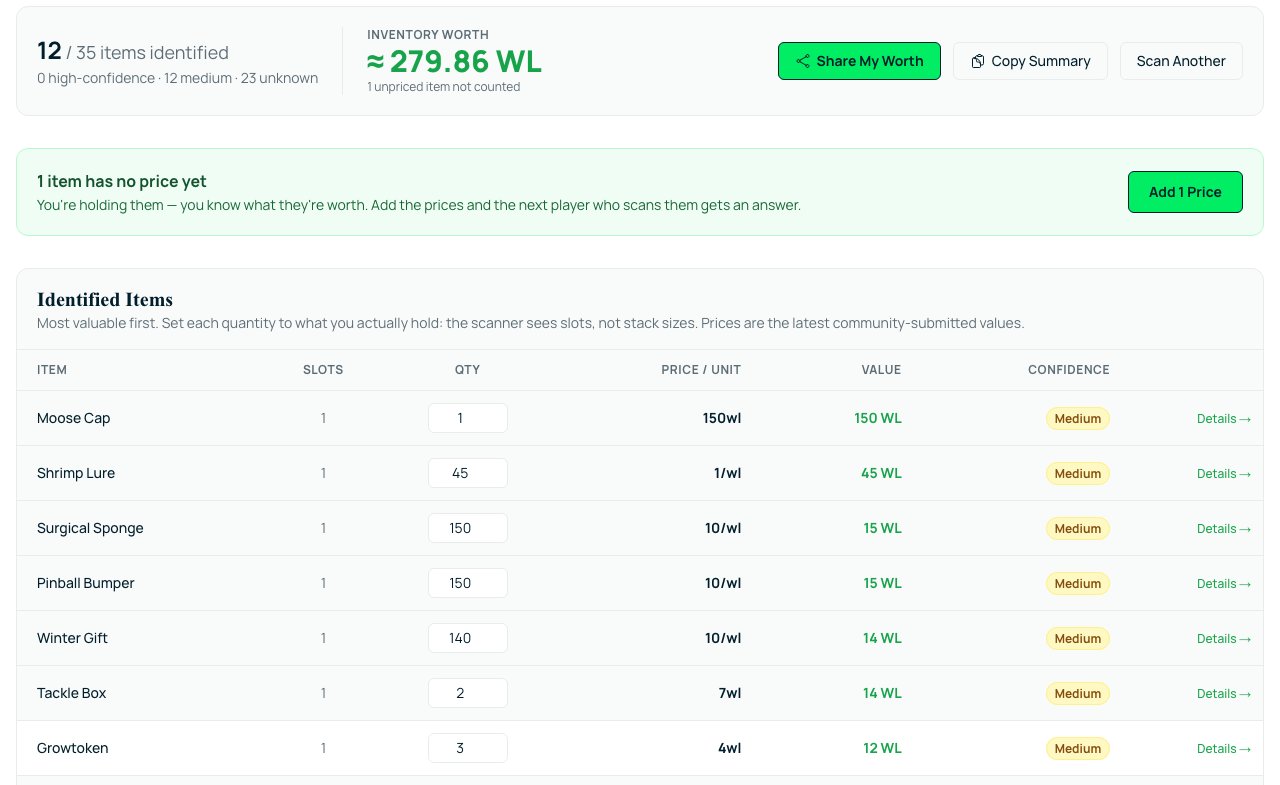
Here's what you get:
Your total inventory worth, right at the top.
Every identified item, most valuable first, with its latest price and total value.
A Qty box for each item.Don't skip this one. The scanner sees slots, not stack sizes, so a slot of 200 Winter Gifts counts as 1 until you type 200. Fix your big stacks and watch the total update.
A confidence badge on each match, so you know which ones to double-check.
A Details link to each item's page, with its full price history.
Some slots may show as unknown (a ?). Click any slot in the All Cells grid at the bottom to see what the scanner compared it against.
Step 6: Share it, copy it, or help improve it
Share My Worth makes a shareable image card of your inventory worth. Post it on Discord and see how your friends compare.
Copy Summary copies your item list with values as text, ready to paste anywhere.
Add Prices: if some of your items don't have a price yet, the scanner tells you. You're holding them, so you probably know what they're worth. Add the price and the next player who scans that item gets an answer.
5 Ways to Use Your Inventory Value
1. Before every trade
Know what you're giving up before you click accept. Scan, then check the deal in the Trade Calculator. If someone says your item is "only worth 1 WL", you'll know whether that's true.
2. Before big events
Event items swing hard. Some climb before an event, and some crash when the event floods the market with new copies. Scan, find what you're holding, and sell or hold at the right time. Our WinterFest 2026 guide shows exactly which WinterFest items are moving right now.
3. Find forgotten valuables
Almost everyone has something valuable sitting in a slot they stopped looking at. The scanner sorts by value, so it's right at the top of your list.
4. Track your progress
Scan once a week and watch your net worth grow. It's the simplest way to see whether your farming, trading or mass projects are actually paying off.
5. Clean out your backpack
Out of space? Sort by value and see which slots are worth almost nothing. Drop, sell or trash those first.
Tips for an Accurate Scan
Use the original screenshot, not a compressed repost.
Get the grid right. Most bad matches come from boxes that don't sit on the slots.
Double-check rare items. The scanner is in beta. Matches are its best guess, so check the confidence badge and open Details for anything expensive before you trade.
Set your stack sizes. Your total is only as good as your quantities.
Prices are community-reported. They're the latest prices players submitted, so check an item's price history before a big sale.
Frequently Asked Questions
How do I check how much my Growtopia inventory is worth?
Take a screenshot of your backpack, upload it to the GTPriceGuide Inventory Scanner, line up the grid, and click Identify Items. You'll get the price of every recognized item and your total inventory worth in World Locks.
Is the inventory price checker free?
Yes. It's completely free, with no account or sign-up.
Is it safe? Do I need to log in?
You never log in, and it never asks for your GrowID or password. Your screenshot is processed in your own browser and never uploaded. Never give your login to any site or bot claiming to check your inventory value.
Does it work with mobile screenshots?
Yes. Use the Mobile HD preset, or adjust the grid by hand. PC screenshots usually match a little better, because phones compress images more. The grid tools are easiest to use on a computer.
Where do the prices come from?
From GTPriceGuide's community price reports. Players submit prices from real trades, and each one is reviewed before it goes live. On top of that, we update the prices of trending and most-viewed items every Friday.
Why are some items unknown?
Usually because the grid is slightly off, the screenshot was compressed, or the item looks almost identical to another one. Adjust the grid and scan again, or click the slot to see what it was compared against.
Ready to find out?Scan your inventory now. It takes about a minute. Then add the items you want to keep an eye on to your Watchlist so you never miss a price move.
 Meet the Inventory Scanner